
Harper College

Event Callout Card

The Event Callout Card component is used to display a single event on a page. The box is static, so it does not pull from the Localist calendar, although you can enter the URL of the image on the localist server associated with the event.

  • In the Properties menu, under Layout Options, enable a new editable region by selecting a panel for one of the regions set to "Hidden" (for example, for Position 2, if it is hidden you can change it to Panel B to activate). In the text box for that Position add "solitude-blue" -- this gives the region a light blue background. Click Save.
  • Click Edit to go back to the WYSIWYG, then go into the new editiable region, which should have "Lorem Ipsum" text in it. Delete that and add the Event Callout Card.

Example:

Need to refresh your career? Find out how.

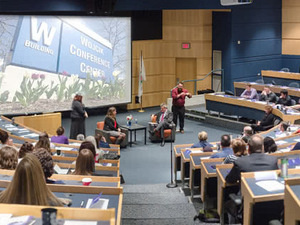
Attendees seated in a lecture hall during a career event

Career Forward Event

Date: Wednesday December 3, 2025
Time: 5:00 pm to 7:00 pm

About This Event:

You’re invited! An evening of inspiration and action designed exclusively for adults looking to restart or refresh their careers. Don’t miss this opportunity to connect with resources and take your next step.
RSVP Now

Last Updated: 5/27/26